
Reviews
Slide Puzzle Adventure is a charming puzzle game that combines classic sliding mechanics with a level editor. The simple controls make it easy to pick up, while the increasing difficulty keeps it engaging. The ability to create and share custom levels adds significant replay value, making it a great choice for puzzle enthusiasts.
About this game
Game Introduction
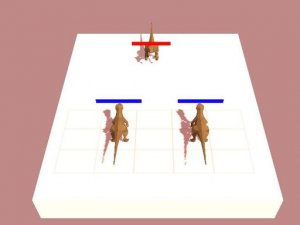
Slide Puzzle Adventure is a puzzle game that challenges players to capture a flag that moves along walls. Each level presents a new layout where you navigate your character, collect coins, and avoid obstacles that can end your progress. The game combines classic puzzle mechanics with quick thinking and careful planning. It offers simple yet engaging gameplay suitable for players of all ages. A built-in level editor allows you to create custom levels and share them with friends, adding variety and replayability. The game is designed to be accessible and enjoyable during short breaks.
How to Play
Players use keyboard controls to move their character through each level. The goal is to reach the sliding flag while collecting as many coins as possible. Obstacles appear in various forms, and touching them may require restarting the level. Players can restart a level at any time to try a different approach. An in-game menu provides options for managing gameplay. The level editor allows players to design their own puzzles, which can be shared with others.
Game Features
The game includes a level editor for creating and sharing custom puzzles. Controls are simple, using only the keyboard. The game offers increasing difficulty across levels, providing a gradual challenge. User-generated content adds to the variety and replayability. The pixel art style gives the game a classic look. Levels are designed to be completed in short sessions, making it ideal for quick play.
Tips for Success
Practice moving efficiently through each level to improve your timing. Study the movement patterns of the flag and obstacles before making your move. Use the level editor to create practice puzzles that focus on specific challenges. Take breaks to keep your mind fresh and focused.
Compatibility
▸ Desktop: Chrome / Edge / Firefox / Safari
▸ Mobile: iOS Safari / Android Chrome
▸ Tablet: iPadOS Safari / Android Tablet Browser
Keep your browser updated for the best experience
Advertisement
Faq
Can I play Slide Puzzle Adventure on mobile devices?
Slide Puzzle Adventure is designed for keyboard controls, so it works best on computers. Some browsers may support it on tablets with a keyboard attachment, but it is not optimized for touchscreens.
Is there a way to save my progress in Slide Puzzle Adventure?
The game may save your progress automatically in your browser's local storage. This means your completed levels and custom creations are typically available when you return, as long as you use the same device and browser.
Does Slide Puzzle Adventure have a time limit for each level?
There is no time limit mentioned. Players can take as much time as needed to plan their moves and complete each level. This makes the game suitable for relaxed puzzle solving.
Can I share my custom levels with other players?
Yes, the level editor allows you to create custom levels. You can share them with friends by exchanging level codes or files, depending on the game's sharing features. This adds to the game's replayability.
Are there any in-app purchases in Slide Puzzle Adventure?
The game is free to play online. There is no information suggesting in-app purchases. All features, including the level editor, are likely available without additional cost.
What happens if I touch an obstacle in Slide Puzzle Adventure?
Touching an obstacle typically ends your current attempt and requires you to restart the level. This encourages careful planning and precise movement to avoid hazards and reach the flag successfully.








Comments
0 comments