Reviews
The Paw Patrol Coloring Book provides a clean, intuitive platform for children to color and create. With multiple scenes and a full color palette, kids can practice color recognition and fine motor skills. The undo and zoom features add convenience without complexity. It is a reliable choice for quiet play that parents can trust.
About this game
Game Introduction
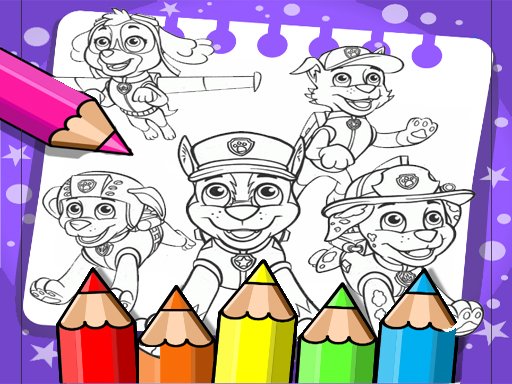
Welcome to the Paw Patrol Coloring Book, a delightful and free online coloring game where kids of all ages can explore their artistic side. Featuring beloved characters from the Paw Patrol series, this game provides a safe and engaging environment for children to color, draw, and express themselves. Each page is designed to spark imagination and help develop essential skills like focus, hand-eye coordination, and color recognition. With a simple and intuitive interface, it is easy for little ones to jump right in and start creating colorful masterpieces. Whether your child is a fan of Chase, Marshall, Skye, or Rubble, they will find plenty of fun scenes to bring to life. The game is completely free, with no hidden costs or inappropriate content, making it a perfect choice for parents seeking wholesome entertainment.
How to Play
Start by selecting a coloring page from the collection of Paw Patrol scenes. Use the color palette on the side to pick your favorite colors. Click or tap on the area you want to color, and watch it fill with vibrant hues. You can zoom in for detailed work or zoom out to see the whole picture. If you make a mistake, use the undo button to fix it. Once you are happy with your artwork, save it to your device or share it with friends and family. The game is designed for easy navigation, so even young children can play independently.
Game Features
Free and safe for all ages. Simple, kid-friendly interface. Wide variety of coloring pages featuring popular Paw Patrol characters. Zoom and undo tools for precise coloring. Option to save and share finished artwork. No ads or in-app purchases, ensuring a distraction-free experience.
Tips for Success
Encourage children to experiment with different color combinations to create unique artwork. Using the zoom tool can help with coloring small details more precisely. If a mistake happens, the undo button makes it easy to correct without frustration. Saving finished pictures allows kids to track their progress and share their creativity with family and friends.
✅ Compatibility & Testing
• Desktop (Windows 11, macOS Ventura)
• Mobile (iPhone 14, Samsung Galaxy S23)
• Tablet (iPad Pro, Android tablet)
✅Supported browsers: Chrome, Safari, Edge, Firefox (latest versions)
❌ Not supported: Internet Explorer, older browser versions
Advertisement
Faq
Is this game suitable for toddlers?
Yes, the game is designed with a simple interface and large tap targets, making it accessible for toddlers and preschoolers. Parents may want to supervise initially to help with page selection and saving artwork.
Can I print the coloring pages?
The game primarily offers digital coloring. Some online coloring games include a print option, but this feature is not guaranteed. You can always save the finished artwork to your device and print it later if desired.
Does the game require an internet connection?
Yes, since it is an online coloring game, you will need an active internet connection to load the pages and play. Once loaded, some parts may work offline, but a connection is generally required.
Are there new coloring pages added regularly?
The game may include a set collection of pages. Some online games occasionally update with new content, but this is not guaranteed. The current selection offers a variety of scenes featuring popular Paw Patrol characters.
Can multiple children use the same device?
Yes, multiple children can take turns selecting different pages and creating their own artwork. The game does not require a personal account, so it is easy to share a device. Saved pictures can be organized by child if needed.
Is there any time limit or scoring in this game?
No, the Paw Patrol Coloring Book is a free-form creative experience with no time limits, scores, or competitive elements. Children can color at their own pace and enjoy a relaxed, stress-free activity.