Reviews
Red Sphere Jump offers a straightforward yet addictive reflex challenge. The controls are responsive, and the difficulty ramps up nicely, providing good replay value. It is a solid choice for players looking to improve their reaction time in a family-friendly environment. The full-screen mode enhances the experience, and the free access makes it easy to recommend.
About this game
Game Introduction
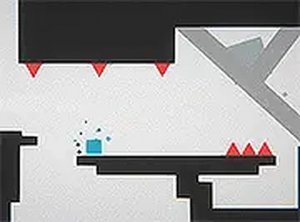
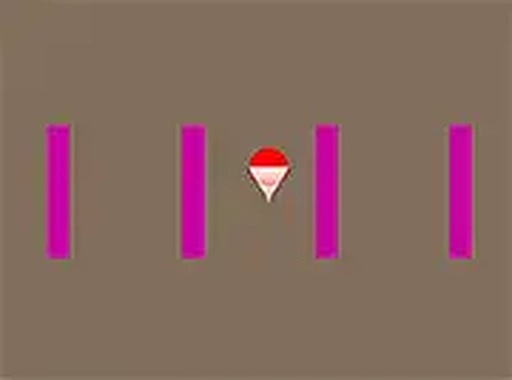
Red Sphere Jump is an online reflex arcade game where you take control of a red sphere navigating a heavily guarded area. The core concept is simple: keep the ball bouncing and avoid obstacles that appear along the way. As you progress, the speed increases, testing your reaction time and planning skills. Designed for desktop play, this game offers a pure, engaging challenge that is easy to start but hard to master. It is family-friendly and free to play, making it a great choice for quick gaming sessions or longer practice runs. The game focuses on timing and precision, rewarding players who stay alert and make careful moves.
How to Play
Use your mouse or keyboard to guide the red sphere. Click or press a key to make the ball bounce upward and away from obstacles. Time your moves carefully to avoid impediments. The game becomes faster as you survive longer, so stay alert and plan each jump. The goal is to keep the sphere alive for as long as possible. Each second adds to your score, and you can challenge friends to beat your best. It is simple to start but requires practice to achieve high scores.
Game Features
Free to play with no downloads required. Full-screen mode for an immersive experience. Desktop optimized for smooth performance. Family-friendly content suitable for all ages. Simple controls that are easy to learn. Increasing difficulty keeps the game challenging. Replayable for improving reflexes and scores.
Tips for Success
Focus on consistent timing rather than frantic clicking. Anticipate upcoming obstacles by watching the path ahead. Take short breaks to maintain sharp reflexes. Practice regularly to build muscle memory for precise jumps. Stay calm as speed increases; panic leads to mistakes.
Compatibility & Testing
• Desktop (Windows 11, macOS Ventura)
• Mobile (iPhone 14, Samsung Galaxy S23)
• Tablet (iPad Pro, Android tablet)
✅ Supported browsers: Chrome, Safari, Edge, Firefox (latest versions)
⌠Not supported: Internet Explorer, older browser versions
Advertisement
Faq
Is Red Sphere Jump available on mobile devices?
The game is optimized for desktop play. It may not function well on mobile devices due to the control scheme and screen size requirements. For the best experience, use a computer with a mouse or keyboard.
Do I need to create an account to play?
No account is needed. The game is free to play directly in your browser without any registration. Just open the page and start playing immediately.
Can I pause the game during a session?
The game does not have a built-in pause feature. Since it is a reflex-based arcade game, the action continues until you lose. Plan your sessions accordingly.
What happens if I hit an obstacle?
Hitting an obstacle ends the current run. Your score is based on how long you survived. You can then restart immediately to try again and beat your previous record.
Is there a leaderboard to compare scores?
The game may include a local high score tracker, but it does not feature an online leaderboard. You can challenge friends by sharing your best time or score manually.
Can I change the game speed or difficulty?
The difficulty increases automatically as you play longer. There are no manual speed or difficulty settings. The challenge adapts to your performance, getting faster over time.